

7. Check usage and troubleshoot
Follow the same example, check the result, and continue to the next chapter.
The gateway is working. Learn two everyday places: Requests and Your usage on Overview. Neither requires an allowance rule.
Find the request you just made
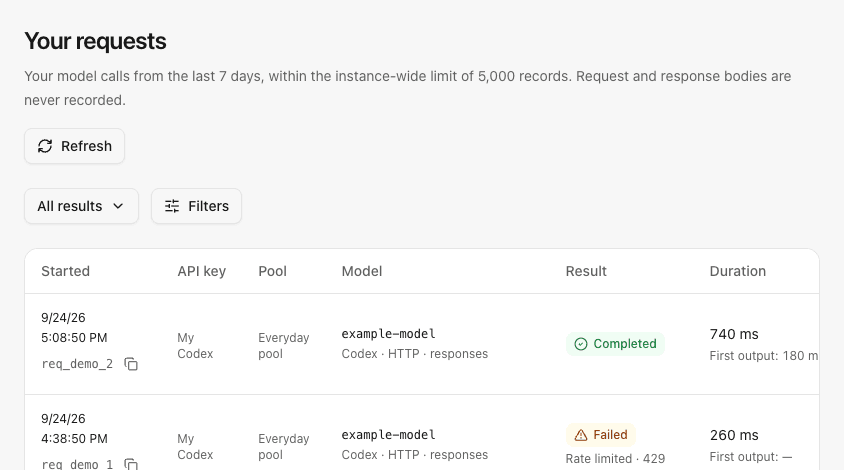
Open Requests, find the chapter 5 call by time, and inspect its model, result and duration. This page shows your own requests; administrators can inspect team calls in All requests.
When asking for help, copy the request ID and describe the time and symptom. The history does not store prompt or response bodies.
Example personal request history with synthetic records:
Read token usage
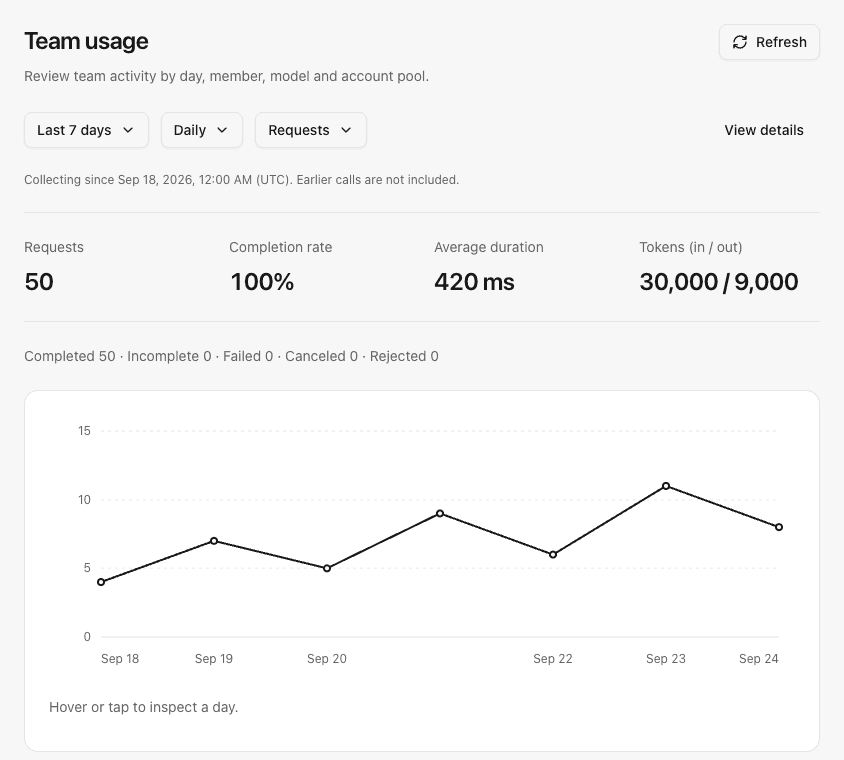
Open Overview → Your usage, choose today, and inspect request counts and reported input/output tokens. Administrators can compare members in Administration → Team usage.
Unreported tokens are unknown, not zero. These are statistics about past calls, not the subscription's remaining capacity or a bill.
Example team usage view for an administrator; personal usage shows only your own calls:
Check the symptom
| Symptom | First action |
|---|---|
| Invalid or expired key | Check its status in API keys and the value configured in the client. |
| No available pool or model | Check the direct pool grant, pool enablement and the account's model catalog. |
| Busy or rate-limited request | Wait for the returned retry time; inspect request limits if it keeps happening. |
| Exhausted upstream quota | The administrator checks the subscription's remaining percentage, reset and observation times. |
| An old conversation fails after changing accounts | Old conversations keep their account. Start a new one after an intentional account change. |
Tutorial complete
You have connected a subscription, made a personal request, and optionally shared a pool with a member. Keep the current free-use configuration if it meets your needs.
Read further only when you need to:
- Cap member usage: usage limits.
- Restrict models: account pools and model policies.
- Upgrade or move the service: back up first, then use deployment and upgrades.
No additional setup is required just to keep using it.
Previous: 6. Share with members (optional)