

4. Create a personal key
Follow the same example, check the result, and continue to the next chapter.
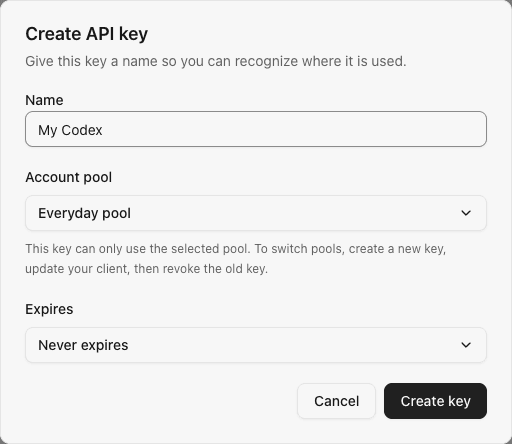
You created Everyday pool. Now create a gateway key for your client, named My Codex.
The key authorizes your client to use the gateway. It is separate from the subscription credentials you used to connect the account.
Create the key
- Open API keys and select Create key.
- Enter
My Codexas its name. - Select Everyday pool.
- Keep the default expiry unless you need a deadline, then create the key.
- Copy the generated key for the client setup in the next chapter.
Example key form showing the name and pool, without a real secret:
Do not put the complete key in a public conversation or source repository.
Check the result
The list should show My Codex, available for use and bound to Everyday pool.
If no pool is available, administrators should check the previous chapter and ensure the pool is enabled. Members starting here need their administrator to complete member access first.
This key is all you need now; percentages, amounts and token ceilings are optional. See key reference later for copying, pausing and expiry details.
Previous: 3. Create an account pool